
Project management software brings planning, task tracking, team collaboration and document sharing together in a single interface. For a business, it replaces scattered e-mail threads and files whose latest version nobody knows with a shared, up-to-date view of every project.
This guide is for leaders of small businesses, SMEs and larger organizations, in Morocco and internationally. It explains what project management software is for, which features to look for, how to choose between an off-the-shelf tool and a custom solution, how to connect it to your existing tools and how to get your teams to adopt it.
What is project management software used for in a business?
Project management software lets you plan, organize, track and document a project, whether it is internal or delivered for a client. It is used by project managers, but also by management, operational teams, external contractors and sometimes the client, who can follow progress or approve a deliverable.
Its benefits come down to four points:
- Less lost information. Statuses, documents and the history of exchanges are kept in one place.
- Clearer communication. Discussions happen in the context of the task, which cuts back-and-forth and purely informational meetings.
- Better-controlled deliverables. A shared schedule and request history build trust with clients and help anticipate delays.
- Steering for management. A consolidated view of deadlines, risks and progress helps decisions rest on current data rather than static reports.
There is a difference between a simple to-do list tool and full project management software able to cover several departments, several sites or an entire portfolio of projects.
Key features of project management software
Here are the building blocks to review before choosing a tool:
| Feature | What it provides |
|---|---|
| Task management | Creation, assignment, due date, priority, labels, comments and reminders |
| Planning | Calendar, Gantt chart, milestones and task dependencies |
| Collaboration | Mentions, activity feed, targeted notifications, shared space with the client |
| Document management | Storage, versions, access rights and deliverable templates |
| Time and resource tracking | Time spent per task, each person's workload, planned versus actual time |
| Reporting | Dashboards, overdue tasks, risks, exports for management committees |
| Automation | Rules triggered by a status change, request forms, notifications |
| Access and integration | Mobile access, API, connection with ERP, CRM, invoicing or intranet |
Task and priority management
Task management is the foundation of the tool. Each action is assigned to a person, with a due date, a priority and possibly attachments. List, kanban or calendar views let everyone find their work, and let the project manager spot overdue tasks and blockers at a glance.
Planning and Gantt charts
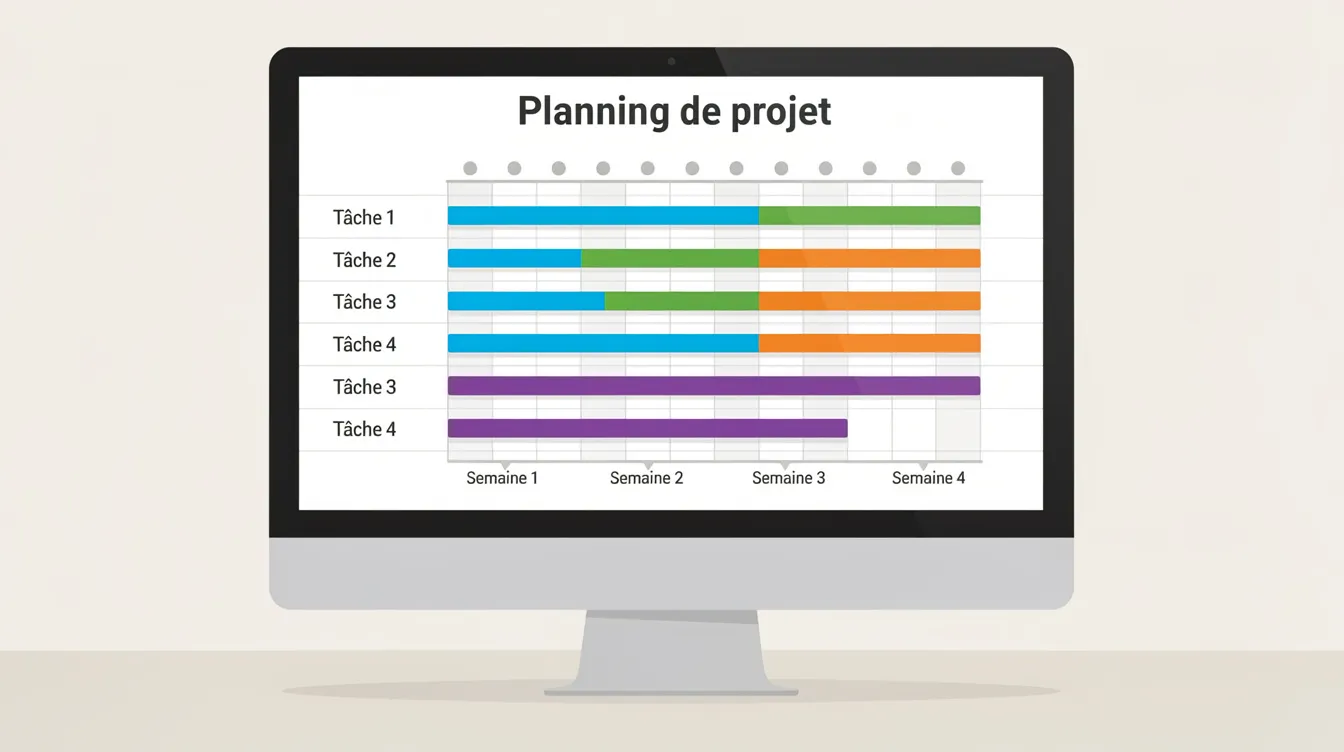
A Gantt chart shows the project timeline, its phases, milestones and the dependencies between tasks. It helps you see which tasks drive the delivery date and assess the effect of a delay before approving it. It is not essential for every project: kanban or calendar views are often enough for continuous workflows.
Collaboration and document sharing
Internally, comments, mentions and document versioning reduce scattered exchanges between departments. With clients and partners, a project space with restricted access lets them follow progress and approve mockups or deliverables, which strengthens transparency.
Time tracking, resources and reporting
For a service company, tracking time spent is directly linked to profitability. The tool compares planned and actual time, shows each person's workload and helps arbitrate when several projects compete for the same resources. Dashboards update from users' actions, so there is no need to rebuild a manual spreadsheet report every week.
Off-the-shelf or custom: which project management software should you choose?
This is the pivotal question for a business leader.
An off-the-shelf tool can be deployed quickly, and updates are handled by the vendor. It suits teams whose processes are generic, with few dependencies on other systems.
A custom solution makes sense when:
- spreadsheets act as a parallel management system;
- re-entering data between tools keeps multiplying, along with the errors that come with it;
- business rules (approvals, sign-off workflows, specific calculations) cannot be modelled in a generic tool;
- deep integration with an ERP, a CRM or other internal tools is required;
- the organization has several sites or entities and needs a consolidated view.
Hosting matters too: software hosted on your own servers gives more control over data but means handling administration and updates yourself, while an online solution hosted by a vendor starts faster but creates a dependency on that supplier. To explore this choice further, read our guide to custom software, which details the decision criteria.
Connecting project management to ERP, CRM, invoicing and the intranet
Project management software is more useful when it exchanges data with the company's other tools. It is better to plan these integrations from the start than once data is already siloed.
- ERP: link projects to purchasing, stock and cost accounting without re-entering data. See our article on ERP software for SMEs.
- CRM: link each project to the client record and the sales opportunity, so sales sees progress and the project manager knows the context. See our guide to custom CRM.
- Invoicing: turn time spent and approved deliverables into quotes and invoices. See our guide to invoicing software.
- Intranet: give staff a single access point to projects, documents and procedures. See our article on the business intranet.
- Permissions and security: role-based permissions and API connections to business tools, in line with the company's security policy.
How to choose and roll out your project management software
- Clarify your objectives: visibility on projects, profitability, managing remote teams… each objective points to different features.
- Map your current processes: tools in use, re-entry, lost information, friction points.
- Identify the users: a project manager, a contributor and a director have different expectations. Involve these profiles in setting priorities.
- List the essential integrations: ERP, CRM, invoicing, intranet, authentication.
- Test on a pilot project: with a motivated team, before rolling out widely, to spot obstacles and adjust.
- Assess ease of use: a clear interface, training and documentation matter as much as the feature list.
Getting teams to adopt the tool
Software nobody uses is worthless: change management matters as much as the technical choice.
- Involve key users early. Internal champions involved in the configuration will make adoption easier for the rest of the team.
- Train by profile. Sessions tailored to project managers, contributors and management, with simple documentation.
- Set shared rules. Project naming, standard statuses, update frequency: these rules keep reports reliable.
- Support after launch. The real adjustments often appear after the initial rollout.

How Unziptech supports a custom management software project
UNZIPTECH SARL, based in Fès, designs web and mobile solutions and custom software (ERP, CRM, business tools) for Moroccan and international companies. A project management software project follows our four-step approach:
- Listening to and analysing your needs.
- Designing and validating mockups.
- Agile development with regular checkpoints.
- Delivery, training and follow-up.
We offer a free custom quote after analysing your needs, and payment is generally split into several phases. Each delivery includes a training session for your teams and user documentation, and maintenance and support contracts are offered after delivery.
Discover our services or contact us to discuss your project.
Project management software FAQ
Is project management software useful for a small team?
Yes. Even a very small business gains clarity on its cases, priorities and deadlines. A simple, well-configured tool is often enough to start; ease of use matters more than a long list of unused features.
Do you absolutely need a Gantt chart?
No. It is very useful for projects with many dependencies and critical milestones, but many teams work effectively with kanban, list or calendar views. Ideally, choose a tool that offers several views.
What is the difference between project management software, an ERP and a CRM?
Project management software focuses on execution: tasks, schedule, collaboration. An ERP manages the company's resources (finance, stock, purchasing), and a CRM manages customer relationships. The same project can exist in all three, which is why it is useful to connect them to avoid re-entering data.
When should you improve the existing tool rather than replace it?
First check whether the current tool is properly configured and used: documented processes, training completed, integrations in place. A change is justified when the limits are structural, for example being unable to automate key rules or connect to the ERP or CRM.
How do you start a custom project management software project with Unziptech?
It starts with listening to and analysing your needs, followed by a free custom quote. The project then moves forward in phases, from mockup validation to delivery with training. To talk about it, contact us.