
As a company grows, in Morocco or internationally, spreadsheets and paper files quickly show their limits: forgotten contract renewals, leave requests lost in inboxes, administrative time that keeps growing. HR management software brings employee records, leave, schedules, HR documents and reviews together in one place. HR needs change with the size of the company: what worked for a small team becomes a bottleneck as headcount grows.
This guide is for managers of micro, small and medium-sized businesses, HR managers and administrative managers who want to structure how they manage their staff: key features, off-the-shelf or custom software, integration with payroll and ERP, implementation steps and team adoption.
What is HR management software?
HR management software is a centralized system that covers the employee lifecycle: from hiring to departure, including leave, reviews and administrative documents.
There are three levels of tools:
- Simple personnel management software, which handles employee records and basic data.
- The HRIS (human resources information system), more comprehensive, which brings several HR functions together in a single tool: administration, leave, working time, performance, reporting.
- Specialized applications, dedicated to a single process (leave, expense reports, time clocking).
Instead of maintaining one spreadsheet for contracts, another for absences and a third for schedules, the company uses a single database where each piece of information is entered only once.
The concrete benefits for a small or medium-sized business
- Fewer repetitive tasks: no more double data entry, leave approval workflows, HR documents generated from templates. HR teams can focus on higher-value work.
- More reliable data: a single, up-to-date employee record reduces inconsistencies, for example when preparing variable payroll items.
- Better deadline tracking: alerts on key dates (end of contract, end of probation period, renewals) prevent oversights.
- A self-service portal: employees request leave and access their documents and leave balance. Fewer email requests, more transparency.
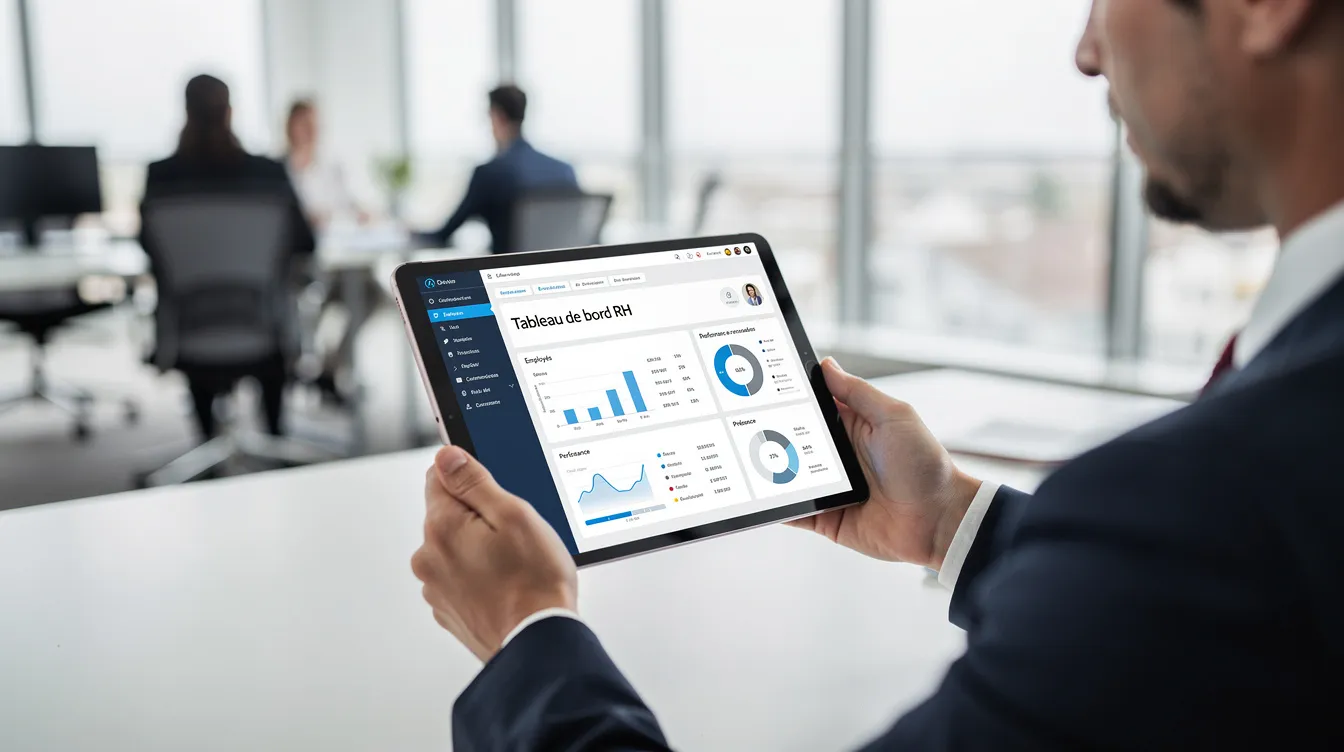
- Better oversight: dashboards on absenteeism, headcount or leave, by department, site or period.
Essential features of HR management software
| Module | What it is for |
|---|---|
| Personnel management | Employee records, positions, contracts and amendments, signed documents |
| Leave and absences | Online requests, approval, balances, team calendar |
| Schedules and working time | Working hours, attendance, time clocking, overtime |
| HR document management | Storage of contracts, certificates and review reports, with access traceability |
| Reviews and skills | Review campaigns, objectives, skills tracking |
| Expense reports and payroll variables | Expense entry, approval, export to payroll or accounting |
Personnel management
This is the foundation: employee records (personal details, position, pay, history of contracts and amendments) and storage of signed documents. This module is the reference base for the entire organization.
Leave and absences
Online requests, approval by the manager and then the HR department, automatically updated balances, a shared team calendar. Each type of absence is configured according to your internal rules: paid leave, sick leave, remote work, business trips.
Schedules and working time
Management of working hours, attendance tracking, time clocking (web or mobile), and overtime calculation according to company rules.
Reviews and performance
Annual or professional review campaigns, goal setting, skills tracking and development plans. Review reports are centralized and accessible to the managers concerned.
Expense reports and payroll variables
Employees submit their expenses with scanned receipts, management approves them, and the data is then exported to accounting. Variables (bonuses, overtime, absences) are passed on to the payroll software or the accountant without re-entry.
Building a reliable employee record
Without a reliable employee record, no other module works properly. A complete record includes:
- Basic information: identity, contact details, emergency contacts.
- Position data: job title, department, manager, length of service, contract type.
- Pay: salary, bonuses, benefits, history of changes.
- Contracts and amendments: start and end dates, probation period, renewals.
- Documents: ID documents, CV, certificates.
This base then feeds the other modules: leave, payroll variables, reviews.
Leave, absences and schedules: the visible core of HR software
Leave management is often the first reason an SME adopts a tool. The process is simple: the employee submits a request from their personal space (web or mobile), the manager receives a notification and approves or rejects it, and the balance updates automatically. No more lost paper forms or email reminders.
The link with schedules is direct: managers see who is present, traveling or on leave, which makes it easier to organize teams during busy periods. For senior management, reports by department, site or period help identify trends.
Talent tracking and reviews: a strategic dimension
- Skills: a profile for each employee helps identify key people for internal assignments or promotions.
- Reviews: templates, custom questionnaires and centralized reports structure annual and professional reviews.
- Development: training needs, internal mobility, succession plans for critical positions.
- Onboarding new hires: welcome paths, documents to sign, scheduled training.
This tracking is especially useful for growing companies or those operating across several sites.

Off-the-shelf, open source or custom HR software: how to choose?
Off-the-shelf HR software (SaaS): quick to set up, regular updates, a ready-to-use platform. Main limitation: customization depends on what the vendor offers. For an SME with standard processes, it is often a good starting point.
Open source: great freedom to customize, but it requires technical skills, in-house or external, for installation, maintenance and security updates.
Custom software: tailored precisely to your business processes and able to integrate with your ERP, payroll tool or intranet. It delivers the most value when your needs go beyond the standard framework.
The pragmatic approach: start with an assessment of your processes, prioritize the essential modules and reserve custom development for the areas where it makes a real difference. See also: custom software or off-the-shelf solution.
How Unziptech supports a custom HR software project
Unziptech (UNZIPTECH SARL), based in Fez, develops custom software (ERP, CRM, business tools) and SaaS solutions for micro, small, medium-sized and large companies in Morocco and internationally. Our method:
- Listening and needs analysis: understanding your current HR processes.
- Design and approval of mockups.
- Agile development with regular check-ins.
- Delivery, team training and follow-up, with user documentation.
We can also integrate artificial intelligence components, such as intelligent process automation or predictive analytics.
Integrating HR software with your tools: payroll, ERP, accounting, intranet
- Payroll: export of variable items (leave, absences, bonuses, overtime) to the payroll software or the accountant, without re-entry.
- ERP: consistent employee data and allocation of time to projects. See our guide ERP software for SMEs.
- Intranet: HR news, internal policies and online forms. See our guide business intranet.
The goal: each piece of information is entered only once and flows securely between systems. At Unziptech, we first analyze the applications already in place to define the data flows, then design the appropriate interfaces (API, connectors, imports/exports). Every delivery comes with user documentation.
Steps to implement HR management software in an SME
- Assessment: map your processes (personnel, leave, expense reports, reviews), identify pain points and set clear objectives.
- Choosing the solution: off-the-shelf, open source or custom, depending on your budget, functional scope and digital maturity.
- Configuration and data migration: leave rules, approval workflows, import of employee records. Clean up the data before importing it.
- Testing and pilot: start with a limited scope (one department, one site) to validate settings, access rights and notifications.
- Rollout and training: train managers and employees, share quick-start guides and provide support during the first weeks of use.
Change management
- Involve key users (HR, managers, administration, finance) early in choices and testing.
- Prepare internal communication: timeline, messages, FAQ, concrete benefits.
- Plan for a maintenance and support contract to fix issues, evolve the software and add new modules.
Team adoption: a simple, useful everyday tool
The success of an HR project is measured by how much employees and managers actually use it.
- Usability: a clear interface, short forms, mobile access to request leave or check one's balance.
- Training: short, targeted sessions, with documentation provided. At Unziptech, every delivery includes team training and user documentation.
- Involved managers: a view of their team, alerts on leave awaiting approval, review tracking.
- Continuous improvement: gather feedback, improve screens and gradually add new features.

Budget and terms
Think in terms of total cost rather than monthly price: licenses or development, integration with your tools, data migration, training and change management. With off-the-shelf SaaS software, you pay a subscription that includes updates and hosting; with custom software, you invest in a tool tailored to your processes.
At Unziptech, you receive a free personalized quote after we analyze your needs, and payment is generally split into several phases.
Why work with Unziptech for your HR software?
- Comprehensive skills: web development, mobile apps (iOS/Android), custom software (ERP, CRM, business tools), SaaS solutions and artificial intelligence.
- A clear method: listening and analysis, approved mockups, agile development with regular check-ins, delivery with training and documentation.
- Long-term support: maintenance and support contracts to keep your software evolving.
Contact us to discuss your HR management software project.
FAQ about HR management software
When does an SME need HR management software?
It depends mainly on complexity: multiple sites, remote work, staff turnover, a growing number of documents. When spreadsheets lead to errors, oversights and wasted time, it is time to centralize.
Does HR software replace my payroll software?
Not necessarily. HR software manages employee data, leave and working time, and prepares payroll variables. Payroll calculation can remain in a dedicated tool or with the accountant; what matters is that the two communicate without re-entry.
Can we start with leave and add other modules later?
Yes, and it is often recommended. A gradual approach (leave and absences, then expense reports, then reviews) makes adoption easier and lets you measure the benefits at each stage.
Off-the-shelf or custom HR software?
If your processes are standard and you want to get started quickly, an off-the-shelf SaaS solution is suitable. If your processes are specific or you need deep integration with your ERP or intranet, custom software delivers real added value.
How do you protect personal data in HR software?
Good practices include fine-grained management of roles and access rights, regular backups, and traceability of access and changes. The confidentiality of employee records is a major concern, whatever the country.
Can Unziptech upgrade existing HR software?
Yes. We can audit your existing system, develop additional modules or build connectors with your other tools. It all starts with listening to and analyzing your needs, followed by a free personalized quote.