
CMMS software (computerised maintenance management system, known in French as GMAO) brings maintenance operations together in a single platform. Instead of juggling Excel files, paper logbooks and scattered emails, it gives you a structured view of your equipment, work, spare parts and costs. This guide takes you from understanding the functional scope to deployment.
Why CMMS software becomes useful for your organisation
A computerised maintenance management system is much more than a digital register. Where a spreadsheet only stores rows and columns, a CMMS helps you plan, triggers alerts, records every intervention and calculates indicators. It is a business tool designed so that information flows between the field, the workshop, the parts store and management.
The benefits apply to different kinds of organisations. An industrial SME gains visibility over its equipment and can better anticipate breakdowns. A technical services company improves the traceability of its interventions and the prioritisation of urgent requests. A property manager plans the upkeep of lifts, air conditioning or heating and keeps a reliable history.
The need grows with multi-site organisations, mobile technicians and equipment availability requirements. When tools remain poorly connected, follow-up becomes fragile and decision-making gets harder.
UNZIPTECH, a SARL based in Fès, designs custom software, including ERP, CRM and business tools such as a maintenance management module.
What is CMMS software? Definition and functional scope
A CMMS centralises the data related to a company's equipment and maintenance operations. It lets you plan and track interventions, whether corrective, preventive or condition-based. A history is kept for each piece of equipment, creating a database you can use over the long term.
Its key functions:
- Equipment management: inventory of machines, buildings and vehicles, with location, inventory number, criticality and documentation (drawings, manuals, photos).
- Work orders: intervention requests, prioritisation, assignment, status tracking (open, in progress, completed, overdue).
- Preventive and corrective maintenance: scheduling by calendar or by meter (hours, kilometres, cycles), recurring tasks, inspection checklists.
- Stock and spare parts: references, locations, alert thresholds, valuation, link between parts and equipment.
- Suppliers and contracts: deadlines, renewals, supplier evaluation.
- Technician scheduling: skills, availability, on-call duty, workload.
- Dashboards: indicators, activity reports, cost analysis per piece of equipment.
CMMS is often distinguished from EAM (Enterprise Asset Management). A CMMS focuses on the maintenance function: interventions, planning and operational follow-up. EAM extends the scope to managing assets over their whole life cycle: acquisition, depreciation, investment planning. The two overlap, but the CMMS remains the everyday tool of maintenance teams.
The practical benefits of CMMS software
- Fewer unplanned stoppages. Preventive maintenance, driven by meter- or calendar-based alerts, lets you act before a breakdown. Replacing a part in time protects production and helps extend equipment life.
- Less administrative work. Digital work orders, report templates and the end of double entry between paper and Excel free up time for maintenance itself.
- Financial visibility and decision support. A CMMS tracks maintenance costs per piece of equipment and per cost centre. When the cumulative repair cost of a machine becomes significant, the manager has figures to decide: repair or replace, outsource or keep in-house.
- Traceability. Maintenance registers, intervention logs and retained evidence make quality, safety and hygiene audits easier, as well as the inspections that apply to your activity.
- Collaboration. Production, stores, purchasing, finance and management share the same information. Field requests are handled faster and misunderstandings decrease.
Essential features of modern CMMS software
Beyond the basics, a modern CMMS should offer automation, mobility and integration, including for multi-site organisations.
- Equipment and locations: hierarchy of sites, buildings, production lines and equipment; criticality classification; associated documentation.
- Preventive maintenance: meter- or calendar-based plans; recurring tasks; checklists; automatic triggers based on thresholds.
- Corrective maintenance: intervention requests, prioritisation by urgency or criticality, work orders, progress tracking.
- Stock and spare parts: locations, alert thresholds, replenishment, valuation.
- Purchasing and suppliers: purchase requests, purchase orders, receipts, maintenance contracts, warranties.
- Scheduling and resources: availability, required skills, on-call duty.
- Dashboards and indicators: preventive completion rate, MTTR (mean time to repair), MTBF (mean time between failures), costs per piece of equipment, pending work orders.
- Advanced features: automatic import of meter or sensor readings, integration with other management software (ERP, HR, accounting), and even predictive analysis.
Mobile CMMS: the role of the app in field maintenance
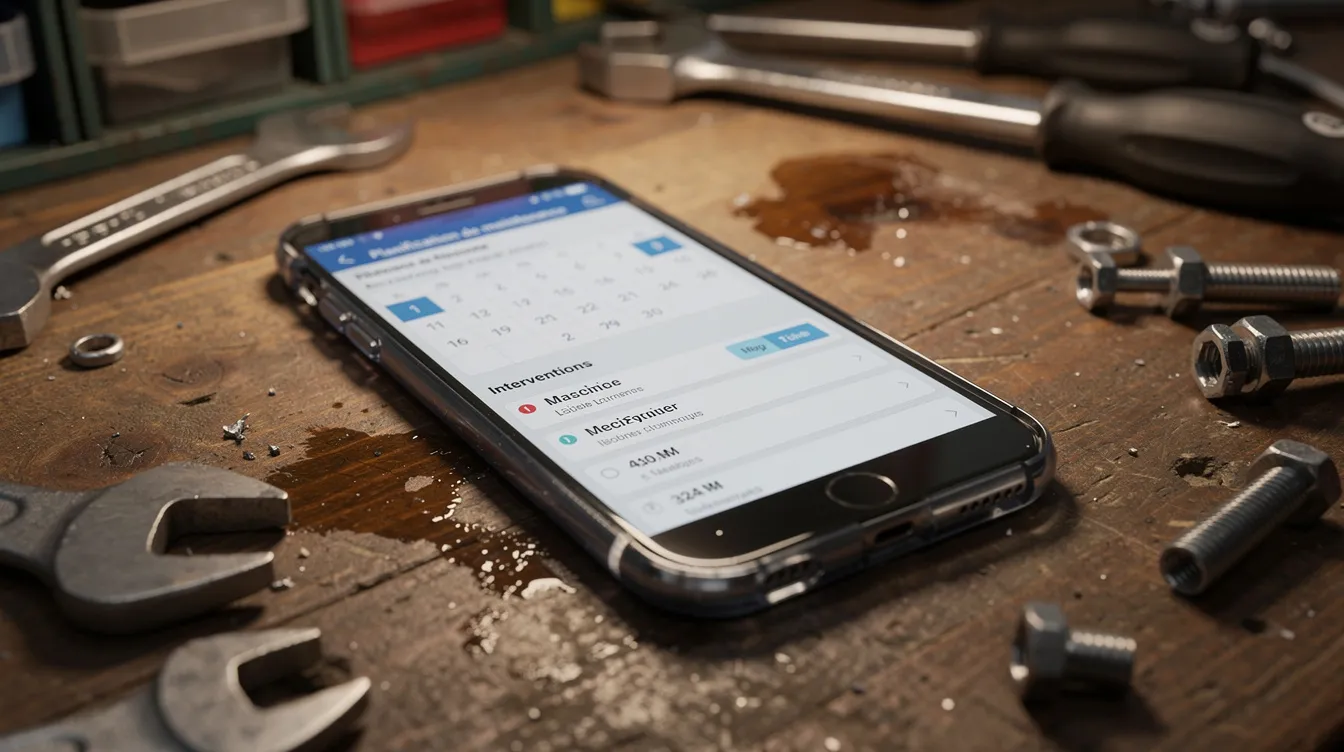
The field technician is the link between the equipment and the software. A mobile CMMS app makes collecting information faster and more accurate.
- Schedule view: upcoming interventions, location, equipment concerned, priority.
- Equipment records and history: manuals, technical notes, photos and past interventions.
- Intervention reports: time spent, parts used, observations, before/after photos, entered on site.
- Proof and identification: digital signature, scanning QR codes or barcodes to identify equipment.
- Offline mode: useful in basements or areas without coverage; data is saved locally and synchronised when the connection returns.
If the mobile tool is simple and fast, technicians record information more completely, which improves data quality and the reliability of indicators.
UNZIPTECH also develops native or cross-platform mobile apps for iOS and Android, which can be designed around the reality of field teams: devices used, network constraints, interface languages and touch ergonomics.
Integrating CMMS into your information system
A CMMS does not work in isolation. To be effective, it must exchange data with the company's other tools, to keep data consistent and avoid duplicates.
- ERP: integration synchronises purchasing, suppliers and accounting entries related to maintenance, without re-entry. To go further, read our guide to ERP software for SMEs.
- Inventory management: spare parts, critical consumables, valuation and replenishment can be managed from a unified system. Our article on inventory management software covers this scope.
- Field service management: receiving requests, tracking and reporting; the connection makes it easier to schedule technicians according to their skills and availability. See our guide to field service management software.
- Sensors and controllers: some CMMS tools collect readings (hour meters, temperature, vibration) and create a work order when a threshold is exceeded.
- Custom architecture: exchanges can run through APIs and web services, consistent with the existing ecosystem.
Standard or custom CMMS software: how to decide?
The choice depends on your maturity, your business specifics and how much autonomy you need. Both options have their place.
Strengths of standard solutions: often quicker to put into service, proven functional scope, documentation and built-in best practices. Free or entry-level offers are often limited in features and handle complex processes poorly.
Possible limits: rigid workflows, screens poorly suited to internal processes, difficulty covering hybrid activities (rental and maintenance, several countries, a bilingual Arabic/French interface). Some advanced modules are sometimes sold as options.
When custom development makes sense: very specific needs, deep integration with existing systems, data confidentiality requirements, an interface tailored to your teams. To compare both approaches, read our article on custom software versus off-the-shelf solutions.
Practical tip: move step by step. Test a prototype or a limited scope first before extending the solution, whether it is a configured standard product or dedicated development.
Criteria for choosing CMMS software (checklist)
- Clear objectives: fewer breakdowns, better cost visibility, traceability, multi-site management.
- Business fit: ability to handle your type of equipment (machines, property, vehicle fleet, rental equipment) and your field constraints.
- Usability and adoption: clear interface, simple mobile app, few clicks to create a work order, fast search.
- Modularity and scalability: ability to activate modules (stock, purchasing, contracts, advanced dashboards) as your maturity grows.
- Integration: APIs, connectors, compatibility with your software (ERP, HR, production, finance).
- Support: training, documentation, support, a contact who understands your maintenance processes.
- Hosting and security: cloud, on-premises or hybrid hosting, backups, access and role management.
- Total cost: add up licences or development, maintenance, training and changes over several years, and compare on that basis.
Key steps to deploy a CMMS
- Scoping: equipment inventory, understanding current processes, defining objectives and indicators, choosing a starting scope (pilot workshop, main site, vehicle fleet).
- Project team: maintenance manager, production or operations representative, IT contact and, if needed, a technical partner.
- Data preparation: equipment lists, bills of materials, available history, unique coding, minimum information to record.
- Configuration and customisation: equipment families, intervention request workflows, report templates, rights by profile (technician, storekeeper, maintenance manager, management).
- Pilot phase: deployment on a limited scope, feedback from technicians, adjustments before rollout.
- Rollout and training: sessions tailored to each audience, simple materials, support at start-up on each site.
- Continuous improvement: dashboard reviews, adjustment of preventive plans, enrichment of the equipment and parts catalogue.
UNZIPTECH runs its projects in four steps: listening to and analysing your needs, designing and validating mock-ups, agile development with regular check-ins, then delivery, training and follow-up. Maintenance and support contracts are offered after delivery.

Quick checklist: are you ready to launch a CMMS project?
- Do I have an up-to-date list of my equipment (machines, buildings, vehicles, critical equipment)?
- Have I set a few clear objectives (availability, costs, safety, audits, service quality)?
- Are my intervention request and approval flows described, even simply?
- Is my historical data (interventions, parts used) usable, even if incomplete?
- Do I have a management sponsor and a maintenance lead ready to drive the project?
- Can I free up time for working sessions?
If several answers are no, clarify these points before choosing a tool. You can also describe your situation through our contact form: UNZIPTECH provides free tailored quotes after analysing your needs.
FAQ about CMMS software
What is CMMS software in one sentence?
It is software that centralises maintenance management (equipment, interventions, parts, costs and history) to plan, track and analyse operations from a single platform.
Is a CMMS useful for a very small business?
Yes. Even with little equipment, a minimum structure (equipment list, intervention tracking, parts management) prevents missed servicing, makes audits easier and prepares for what comes next.
What is the difference between CMMS and ERP?
An ERP covers the whole management of a company: finance, purchasing, sales, HR, stock. A CMMS focuses on maintenance: interventions, planning, equipment tracking and related costs. Some ERPs offer a maintenance module, often less complete than a dedicated tool.
Do I really need a mobile app for CMMS?
It is not mandatory, but it is very useful as soon as you have field technicians, several sites or areas with poor network coverage.
How can UNZIPTECH help with my CMMS project?
UNZIPTECH can advise you on choosing between a standard solution and custom development, design a tool suited to your processes, integrate it with your systems, develop the web and mobile interfaces, train users and provide maintenance under a support contract.
Digitalise your maintenance with UNZIPTECH
CMMS software is an organisational lever: it centralises maintenance data, bases decisions on concrete indicators and supports the continuous improvement of preventive and corrective maintenance.
Succeeding with this kind of project requires a partner able to understand your business challenges and turn them into a suitable tool. UNZIPTECH designs custom management software (ERP, CRM, business tools), develops web and mobile applications and offers maintenance contracts after delivery. Discover our services or contact us to present your project.