

A mobile app requirements document is the reference document that describes the needs of a mobile project before a single line of code is written. It sets out your business goals, target users, priority features, technical and budget constraints, and your privacy and security requirements.
A good requirements document gives everyone a clear view of the project. It is the basis for the feasibility study and the estimate, and it lets every provider you consult respond to the same scope. Without it, quotes are hard to compare, expectations drift apart and misunderstandings pile up.
This guide is for owners and managers of small businesses, SMEs and organisations, in Morocco and internationally, who are preparing a business mobile app project. You will find a step-by-step structure for your mobile app requirements document, a ready-to-use checklist and an FAQ. To choose between native, cross-platform or web app development, read our mobile app development guide.
1. Present the company and project context
The first section of your requirements document sets the scene. It helps the provider understand who you are and why you are launching the project:
- Company overview: line of business, geographic area, size of the organisation.
- Where the idea comes from: which business problem the app must solve, which tools you use today (spreadsheets, internal software, an existing web app) and why they are no longer enough.
- Existing digital ecosystem: website, CRM, ERP or other tools. This helps anticipate integrations and avoid duplication. Our guide to the website requirements document complements this step if you are running both projects in parallel.
- Strategic vision: explain how the project fits into your overall strategy (digitalisation, automation, business growth, customer experience).
2. Define the app's goals and target users
Vague goals produce vague apps. This is one of the most important sections of the requirements document.
- Set concrete goals: reduce repetitive requests to customer service, make mobile bookings easier, speed up data entry in the field, stay in touch with customers through useful notifications. Also state the expected benefits to justify the investment.
- Describe your users: end customers, internal teams, partners, managers. Specify the languages they use (French, Arabic, English…), how comfortable they are with digital tools and where they will use the app.
- Link goals to the type of app: a simple consultation app does not have the same needs as a field data-entry tool that must work offline.
- Describe usage scenarios: viewing data, booking, filling in forms, approving a request. Specify the context: mobile network on the move, office Wi-Fi, areas with no connection.
3. Scope the features: version 1 and later releases
Trying to include everything in the first version is a sure way to delay launch. The requirements document must clearly separate the initial scope from later releases.
- List every feature you have in mind, then split them into two groups: version 1 (essential) and phase 2 (deferred).
- Rank each feature by priority: essential, important, nice to have.
- Common version 1 features in a business app: secure login, viewing data, creating and editing items, simple notifications, secure payment if the user journey requires it.
- Features that are often deferred: advanced statistics, AI-based recommendations, a support chatbot, a loyalty programme.
- Stay realistic: launching a controlled scope, gathering user feedback and then evolving the app helps you keep the budget under control.
4. Describe user journeys, screens and content
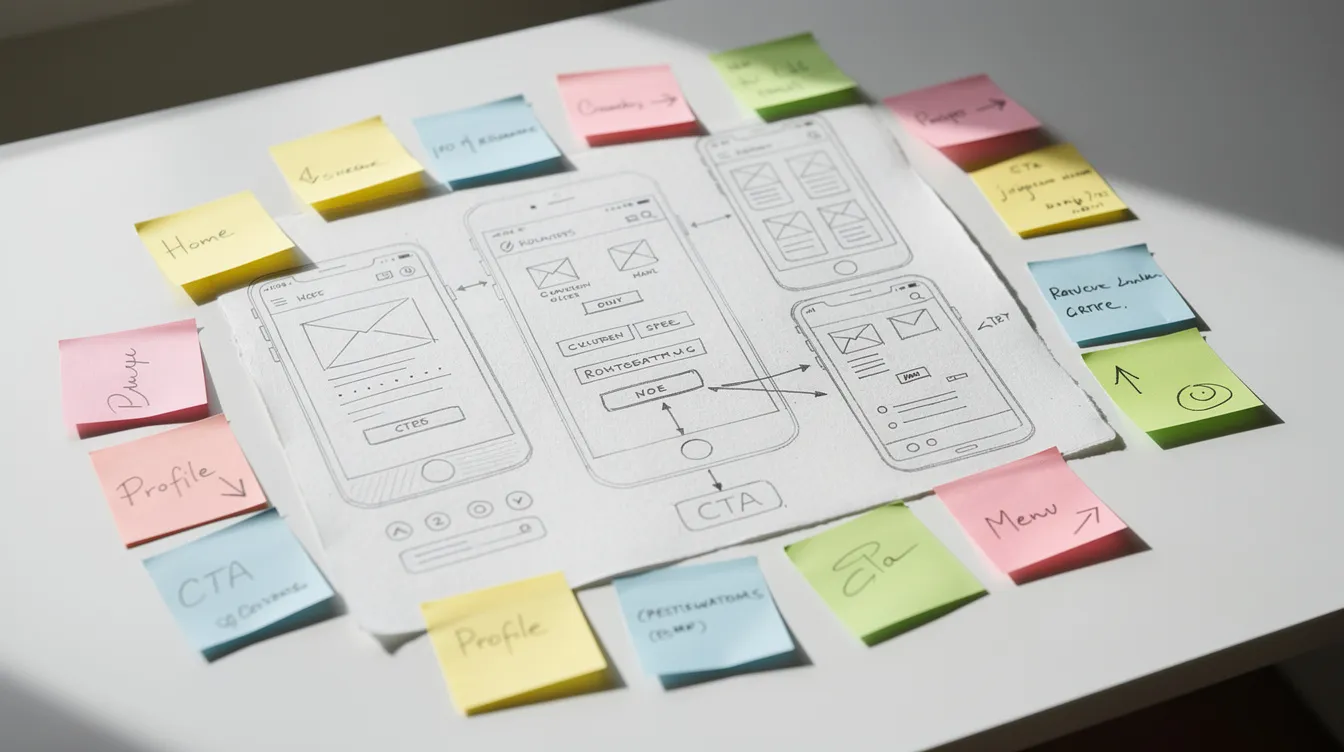
Simple diagrams or wireframes explain the user journey far better than an ambiguous paragraph. Even a hand-drawn sketch helps.
- Draw the key journeys as steps: discovery → sign-up or login → creating a booking → payment → viewing history.
- List the main screens: home, search, detail page, confirmation, user account, notifications, settings, help. Link each screen to a business goal.
- Specify the content expected on each screen: text, images, action buttons, form fields, error messages. This level of detail avoids back-and-forth during development.
- Plan acceptance criteria: for each feature, describe what will show that it works as intended during testing.
5. Interface, design and visual identity
Design has a direct effect on how well the app is adopted. The requirements document should give designers the reference points they need.
- State whether a brand guide already exists (logo, colours, typefaces) and attach it.
- Share examples of apps or websites whose design you like, and explain why: simplicity, clear icons, contrast, readable buttons, dark mode.
- Set out your accessibility expectations: font size, contrast, simple navigation.
- If you are targeting iOS and Android, mention whether some screens should follow each platform's own conventions. At UnzipTech, designing and validating mockups is part of every project.
6. Platforms, technology choices and integrations
You do not have to decide everything alone. Your role is to express your needs, preferences and constraints; the provider then proposes the most suitable solution.
- Target platforms: specify whether the app must run on iOS, Android or both, whether tablets are included and whether a web app is also being considered.
- Native or cross-platform: you can state a preference without locking it in. The provider will confirm it or suggest an alternative based on your context.
- Internal constraints: existing hosting, connection to an internal CRM or ERP, single sign-on, company network constraints.
- Expected integrations: list them in general terms (online payment, SMS sending, maps and geolocation, booking system, marketing tools, social networks if your strategy requires it).
7. Security, privacy and data
A mobile app often handles personal data. This section helps the provider propose a suitable architecture and meet app store requirements.
- Data processed: identity, contact details, location, contract information. Specify the retention periods you want and how data is deleted.
- Security requirements: encrypted exchanges, role-based access rights, logging of sensitive actions, collecting user consent.
- Privacy policy: plan a clear document, written in your audience's languages, accessible from the app and the store listings.
- Applicable obligations: if you are unsure which rules apply to your data, get advice from a qualified professional before launch.
8. Maintenance, back office and post-launch changes
The project does not end at go-live. An app that stays useful over time relies on a maintenance plan prepared from the start.
- App maintenance: bug fixes, iOS and Android compatibility updates, performance improvements, security monitoring.
- Internal organisation: who handles support on your side, who can request changes, and how often you want the app to evolve.
- Back office: describe the web admin interface — who uses it and for what (managing content, users, orders, exporting data). This point is often underestimated, yet it shapes everyday use.
- To go further, read our guide to mobile app maintenance.
9. Planning, budget and working with UnzipTech
The requirements document should state your key milestones and calendar constraints, even provisionally.
- Main phases to plan: scoping, mockups and prototype, development, user testing, release. The provider will estimate their duration from your scope.
- Budget and selection criteria: rather than looking for the lowest price, set out your decision criteria (technical quality, support, understanding of your business) and keep your internal budget as a reference for comparing quotes.
- How a project runs with UnzipTech: UNZIPTECH SARL, based in Fès, supports Moroccan and international businesses in four steps: 1) listening to and analysing your needs, 2) designing and validating mockups, 3) agile development with regular check-ins, 4) delivery, training and follow-up. Every delivery includes a training session and user documentation, and maintenance and support contracts are offered after delivery. Payment is generally split into several phases.
Explore our services or send your draft requirements document through the contact page to receive a free tailored quote after we analyse your needs.

Mobile app requirements document checklist
| Section | What to include |
|---|---|
| Context | Company overview, origin of the project, existing tools |
| Goals | Concrete goals, expected benefits, success indicators |
| Users | Profiles, languages, usage scenarios, connection context |
| Scope | Version 1 features, deferred features, priorities |
| Journeys and screens | Key journeys, list of screens, content, wireframes |
| Design | Brand guide, examples, preferences, accessibility |
| Technology | Platforms, integrations, constraints, preferences |
| Security and privacy | Data processed, encryption, roles, privacy policy |
| Maintenance | Fixes, updates, back office, support, changes |
| Planning and budget | Milestones, phases, selection criteria, way of working |
Mobile app requirements document: FAQ
Should I choose the technology before writing the requirements document? No. Describe your functional needs, target platforms and expectations. The provider will propose the most suitable approach: native, cross-platform or web app.
How long should a mobile app requirements document be? Aim for a concise document that covers the essentials: key journeys, screens, business rules, integrations. A document that is too long becomes hard to use.
Should advanced features be planned for the first version? Not necessarily. The requirements document can list them as planned releases. Keep the ones that genuinely serve your goals and schedule them for later phases.
How can I use this guide with UnzipTech? Fill in the sections of the checklist, even partially, then send your document through the contact page. After we analyse your needs, you will receive a free tailored quote.